Friday, June 12, 2015

Workgroup Computing

Workgroup Computing: 

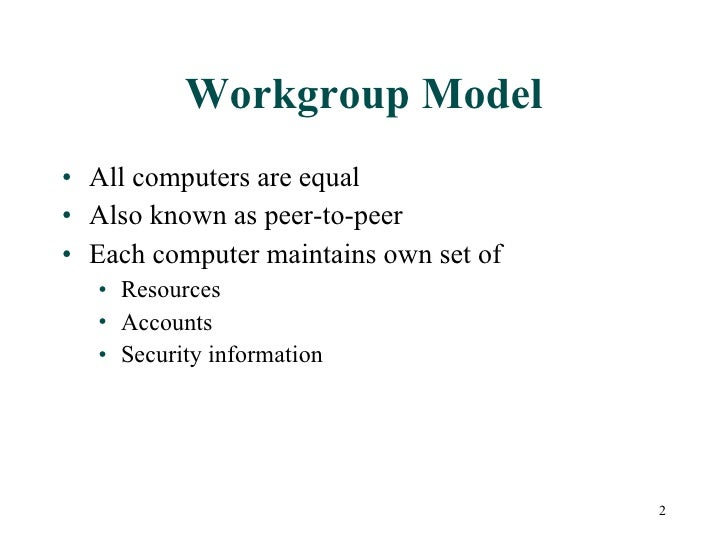
                                                     Workgroup is a group of persons working together on a particular task by sharing information through a computer network. The process of sharing information by using a computer network is called workgroup computing. It is also called collaborative computing. The workgroup members may be at different places in the world. They can share their ideas and experiences using computer network. Different types of files, pictures, sounds, videos and graphics can be exchanged among the member of workgroup. The transfer of data and information using a computer network is very fast and efficient. Workgroup computing has played an important role in research and development.


Groupware:

                    Groupware is a software used for workgroup computing. It is used on a computer network. The reasearchers can use it to share information about different pprojects online. The individuals can use it to collaborate with their colleagues etc.

Benefits of Computer Network

Computer Network

A computer network or data network is a telecommunications network which allows computers to exchange data. In computer networks, networked computing devices pass data to each other along network links (data connections). Data is transferred in the form of packets. The connections between nodes are established using either cable media or wireless media. The best-known computer network is the Internet.
Network computer devices that originate, route and terminate the data are called network nodes.[1] Nodes can include hosts such aspersonal computers, phones, servers as well as networking hardware. Two such devices are said to be networked together when one device is able to exchange information with the other device, whether or not they have a direct connection to each other.
Computer networks differ in the transmission media used to carry their signals, the communications protocols to organize network traffic, the network's size, topology and organizational intent. In most cases, communications protocols are layered on (i.e. work using) other more specific or more general communications protocols, except for the physical layer that directly deals with the transmission media.
Computer networks support applications such as access to the World Wide Web, shared use of application and storage servers,printers, and fax machines, and use of email and instant messaging applications.

CD-ROM

A CD-ROM is a pre-pressed optical compact disc which contains data. The name is an acronym which stands for "Compact Disc Read-Only Memory". Computers can read CD-ROMs, but cannot write to CD-ROMs which are not writable or erasable.
Until the mid-2000s, CD-ROMs were popularly used to distribute software for computers and video game consoles. Some CDs, called enhanced CDs, hold both computer data and audio with the latter capable of being played on a CD player, while data (such as software or digital video) is only usable on a computer (such as ISO 9660 format PC CD-ROMs).
The Yellow Book is the technical standard that defines the format of CD-ROMs. One of a set of color-bound books that contain thetechnical specifications for all CD formats, the Yellow Book, created by Sony and Philips in 1988, was the first extension of Compact Disc Digital Audio. It adapted the format to hold any form of data.

Compact Disc

Compact disc (CD) is a digital optical disc data storage format. The format was originally developed to store and play only sound recordings but was later adapted for storage of data (CD-ROM). Several other formats were further derived from these, including write-once audio and data storage (CD-R), rewritable media (CD-RW), Video Compact Disc (VCD), Super Video Compact Disc (SVCD), Photo CD, PictureCD, CD-i, and Enhanced Music CD. Audio CDs and audio CD players have been commercially available since October 1982.
Standard CDs have a diameter of 120 millimetres (4.7 in) and can hold up to about 80 minutes of uncompressed audio or about 700 MiB of data. The Mini CD has various diameters ranging from 60 to 80 millimetres (2.4 to 3.1 in); they are sometimes used for CD singles, storing up to 24 minutes of audio, or delivering device drivers.
At the time of the technology's introduction, an individual CD had greater capacity than a typical personal computer hard drive. The reverse is now true, with personal computer hard drives having capacities far exceeding the capacity of a CD.
In 2004, worldwide sales of CD audio, CD-ROM, and CD-R reached about 30 billion discs. By 2007, 200 billion CDs had been sold worldwide. CDs are increasingly being replaced by other forms of digital storage and distribution, with the result that audio CD sales rates in the U.S. have dropped about 50% from their peak; however, they remain one of the primary distribution methods for the music industry.
Thursday, June 11, 2015

Working of Hard Disk Drive

An HDD records data by magnetizing a thin film of ferromagnetic material on a disk. Sequential changes in the direction of magnetization represent binary data bits. The data is read from the disk by detecting the transitions in magnetization. User data is encoded using an encoding scheme, such as run-length limited encoding, which determines how the data is represented by the magnetic transitions. A typical HDD design consists of a spindle that holds flat circular disks, also called platters, which hold the recorded data. The platters are made from a non-magnetic material, usually aluminium alloy, glass, or ceramic, and are coated with a shallow layer of magnetic material typically 10–20 nm in depth, with an outer layer of carbon for protection. For reference, a standard piece of copy paper is 0.07–0.18 millimetres (70,000–180,000 nm). Information is written to and read from a platter as it rotates past devices called read-and-write heads that operate very close (often tens of nanometers) over the magnetic surface. The read-and-write head is used to detect and modify the magnetization of the material immediately under it.The platters in contemporary HDDs are spun at speeds varying from 4,200 rpm in energy-efficient portable devices, to 15,000 rpm for high-performance servers.[24]The first HDDs spun at 1,200 rpm[3] and, for many years, 3,600 rpm was the norm.[25] As of December 2013, the platters in most consumer-grade HDDs spin at either 5,400 rpm or 7,200 rpm
.

Hard disk drive

A hard disk drive (HDD), hard disk, hard drive or fixed disk is a data storage device used for storing and retrieving digital information using one or more rigid ("hard") rapidly rotating disks (platters) coated with magnetic material. The platters are paired with magnetic heads arranged on a moving actuator arm, which read and write data to the platter surfaces. Data is accessed in a random-access manner, meaning that individual blocks of data can be stored or retrieved in any order rather than sequentially. An HDD retains its data even when powered off. Introduced by IBM in 1956, HDDs became the dominant secondary storage device for general-purpose computers by the early 1960s. Continuously improved, HDDs have maintained this position into the modern era of servers andpersonal computers. More than 200 companies have produced HDD units, though most current units are manufactured by Seagate, Toshiba and Western Digital. Worldwide disk storage revenues were US $32 billion in 2013, down 3% from 2012. The primary characteristics of an HDD are its capacity and performance. Capacity is specified in unit prefixes corresponding to powers of 1000: a 1-terabyte (TB) drive has a capacity of 1,000 gigabytes (GB; where 1 gigabyte = 1 billion bytes). Typically, some of an HDD's capacity is unavailable to the user because it is used by the file system and the computer operating system, and possibly inbuilt redundancy for error correction and recovery. Performance is specified by the time required to move the heads to a track or cylinder (average access time) plus the time it takes for the desired sector to move under the head (average latency, which is a function of the physical rotational speed in revolutions per minute), and finally the speed at which the data is transmitted (data rate).